


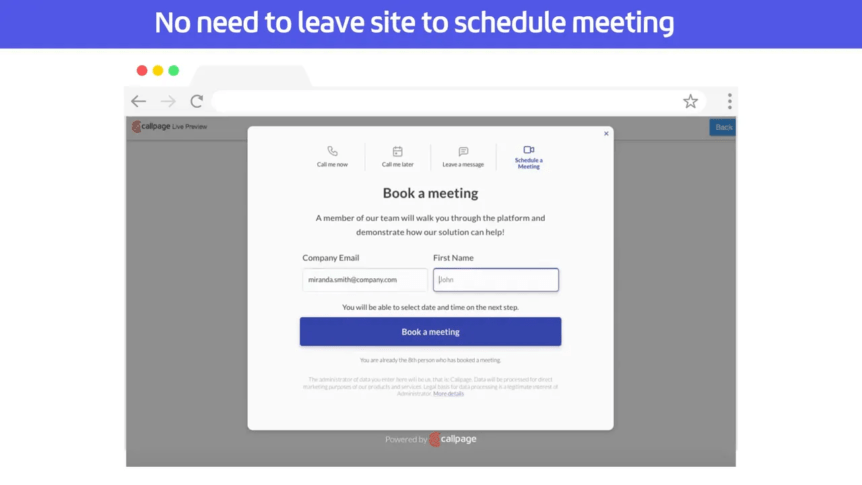
In today’s fast-paced digital world, every second counts when it comes to engaging potential customers. The Callpage meeting widget is designed to streamline the process of scheduling meetings with your website visitors, enabling you to generate more sales opportunities in just a few clicks. This blog post will delve into the key features of the Callpage meeting widget, demonstrating how it can enhance your customer engagement and improve lead quality.
Table of Contents
- What is the Callpage Meeting Widget?
- Improving Lead Quality
- Customization Options
- Don’t Let Ready-to-Buy Leads Slip Away
- FAQ
What is the Callpage Meeting Widget?
The Callpage meeting widget is a powerful tool that allows you to schedule meetings with site visitors almost instantaneously. By integrating this feature into your website, you can significantly boost your chances of converting visitors into leads and eventually into customers.
Instant Meeting Scheduling
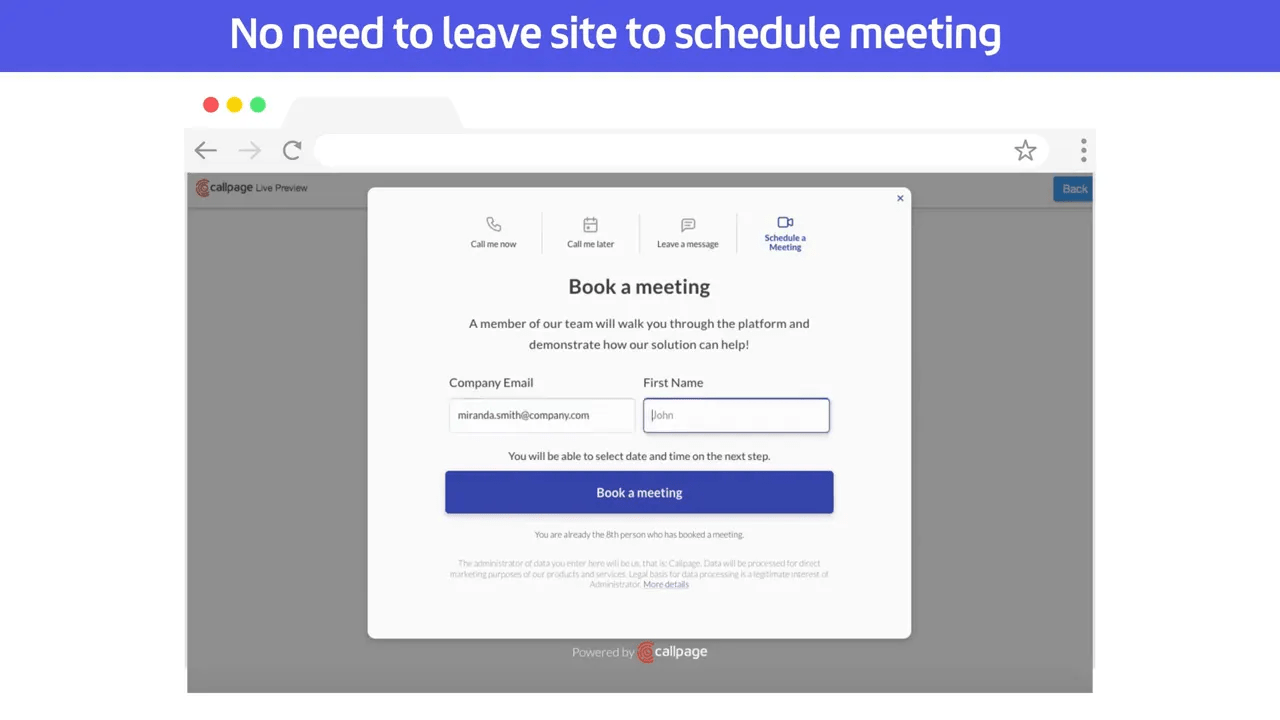
One of the standout features of the Callpage meeting widget is its ability to help users book meetings within seconds. Through a user-friendly pop-up, site visitors can select their preferred time slots without hassle. This is crucial as it minimizes the chances of losing potential customers to lengthy scheduling processes.
Routing to the Right Team Member
Another essential feature is the ability to route meetings to the appropriate teammate based on user responses. This ensures that your visitors are connected with the right consultant who can address their specific needs. This personalized approach not only enhances the customer experience but also increases the likelihood of a successful sale.
Calendar Integration
The Callpage meeting widget displays the calendar of the matching team member, allowing users to see availability in real-time. This feature eliminates confusion and scheduling conflicts, ensuring a seamless booking experience for both the user and the team member involved.
Automated Meeting Details
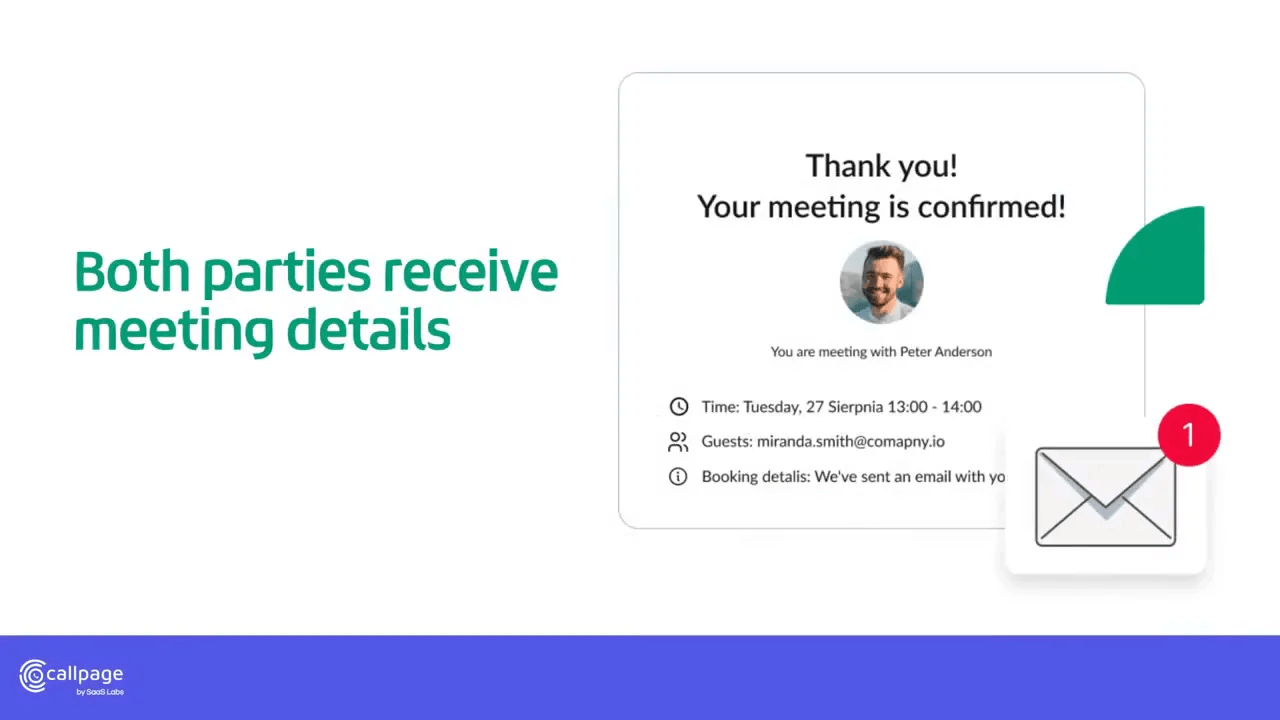
Once a meeting is booked, both the user and the team member receive the meeting details automatically. This automation not only saves time but also reduces the chances of miscommunication regarding meeting times and dates.
Improving Lead Quality
Qualifying leads is critical for any sales strategy, and the Callpage meeting widget excels in this area. By incorporating qualifying questions into the booking process, you can gather essential information that helps in assessing lead quality before the meeting even begins.
Customization Options
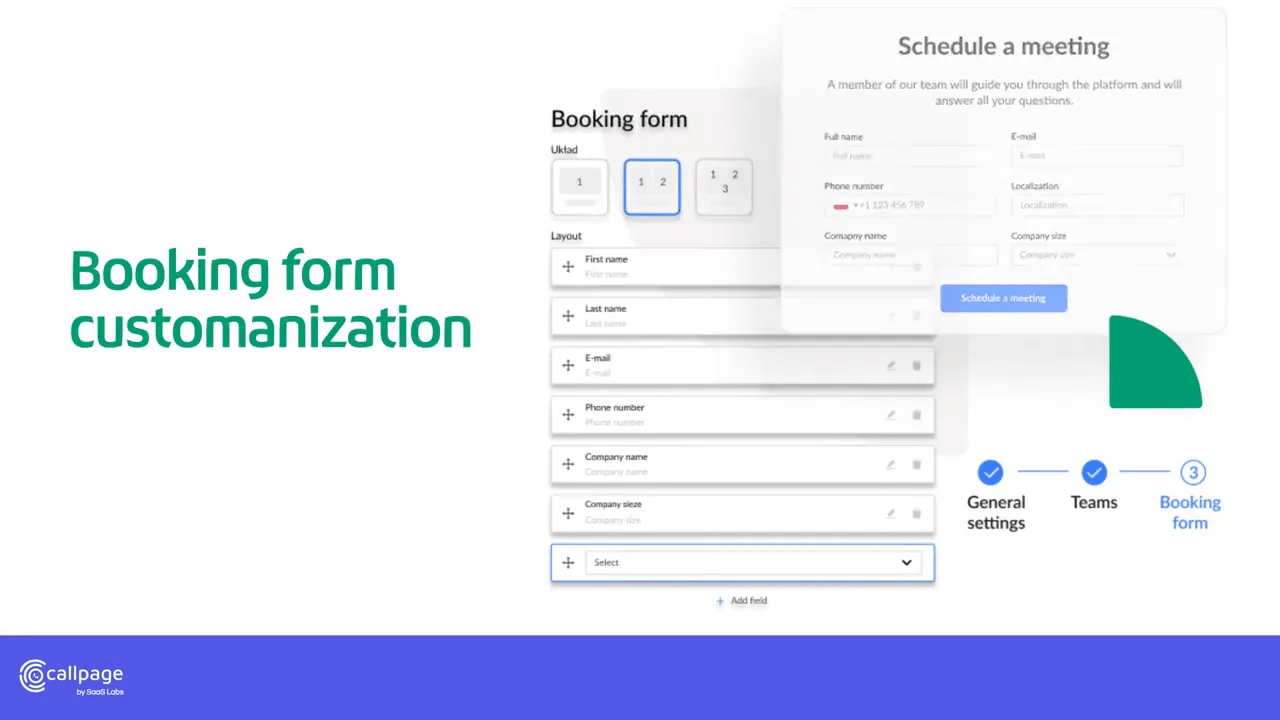
Every business is unique, and the Callpage meeting widget allows for extensive customization. You can tailor the fields in the pop-up to suit your specific needs, ensuring that you collect all the relevant information necessary for your sales process.
Routing Rules for Enhanced Efficiency
Utilizing routing rules, you can further enhance the efficiency of the meeting scheduling process. These rules allow you to connect users with the perfect consultant based on their responses and needs, creating a more efficient workflow for your sales team.
Don’t Let Ready-to-Buy Leads Slip Away
In the competitive landscape of online business, it’s crucial to capture leads at the moment they show interest. The Callpage meeting widget provides a straightforward way to offer a meeting schedule to your visitors, ensuring that you don’t miss out on any sales opportunities.
Conclusion
The Callpage meeting widget is an invaluable tool for businesses looking to boost sales and improve customer engagement. With features designed to simplify the meeting scheduling process, enhance lead quality, and provide a personalized user experience, this widget is essential for any business aiming to thrive in a digital environment.
Don’t let your ready-to-buy leads leave your site. Incorporate the Callpage meeting widget today and start capturing more sales opportunities!
FAQ
1. How does the Callpage meeting widget work?
The Callpage meeting widget allows visitors to book meetings with your team members in real-time through a pop-up interface on your website, making the process quick and easy.
2. Can I customize the meeting scheduling fields?
Yes, the Callpage meeting widget offers customization options, allowing you to tailor the pop-up fields to collect the information most relevant to your sales process.
3. How does the routing feature enhance user experience?
The routing feature connects visitors to the most suitable team member based on their needs, ensuring a more personalized and effective customer experience.
4. Will both the user and team member receive meeting details?
Yes, once a meeting is booked, both parties will receive the meeting details automatically, eliminating any potential confusion.
5. How can I improve lead quality using this widget?
You can improve lead quality by incorporating qualifying questions during the booking process, which helps assess the potential of leads before meetings.
Try The Solution Now
Check out the cool solution. Connect with your site visitors in just 28 seconds.